

Accessing an online casino account should be straightforward, but it helps to know what to expect before entering your details. This guide explains how UK players can use the Mad Casino Bets login, what to check if access fails, and how to keep an account secure. It also covers practical points to consider before playing, including identity checks, payments and responsible gambling.
For the official site, use https://gb.madcasino-uk.casino. Check the address carefully before signing in, and avoid links in unsolicited messages. Casino brands and site availability can change, so verify the current operator, terms and UK Gambling Commission status directly before depositing.
Finding the login page
Open the casino website in a current browser on a device you trust. The sign-in option is usually labelled “Log in” or “Sign in” and is commonly placed in the page header; Select it to open the form, then enter the email address or username associated with your account and your password. Use the exact details you registered with; autofill can sometimes insert an outdated email or an incorrect password.
If you are visiting from a bookmark, confirm that it still points to the intended website. A padlock icon indicates an encrypted connection, but by itself it does not prove a site is licensed or trustworthy. UK customers should check the operator’s legal name and licence information, and make sure the terms identify the services available to people in Great Britain.
Signing in step by step
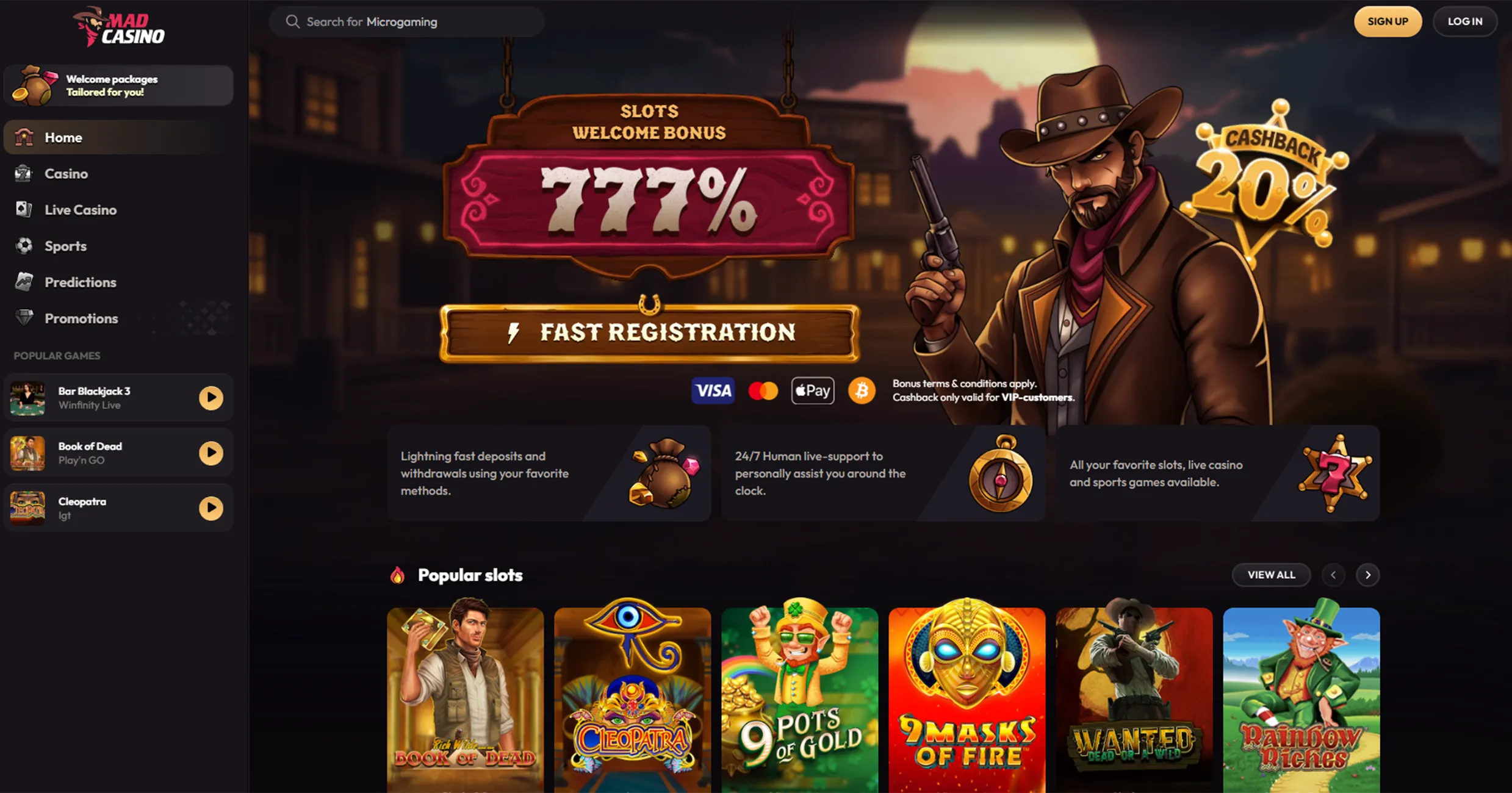
- Navigate to the official website and check the address bar.
- Choose the login option to display the account form.
- Enter the registered email or username and password.
- Complete any additional security step requested by the site.
- Once signed in, review your balance and account notices before choosing a game.
Some casinos request an email confirmation, one-time code or other verification when a login looks unusual—for example, after a password reset or when using a new device. Follow prompts only within the verified site or its official app, if one is offered; Never provide a password or verification code to someone claiming to be support through social media or an unsolicited phone call.
If you cannot log in
Check your details
First, check for typing errors, extra spaces and a switched keyboard layout. If you normally sign in with an email address, make sure you have not entered a username instead. Password managers can save the wrong credentials after an address change, so review the stored entry before trying again. Repeated guesses may trigger a temporary security lock, making it better to use the recovery process than to keep attempting passwords.
Reset your password
Select “Forgot password?” or the equivalent link on the login form. Provide the email address linked to the account and follow the instructions sent to that inbox. Check spam and junk folders if the message does not appear, but do not follow a recovery link if you did not request it. A reset email should direct you to the casino’s verified domain; if anything looks unusual, return to the site by typing its address yourself.
Try basic browser troubleshooting
If your credentials are correct but the form will not load, refresh the page and check your internet connection. You can also update the browser, temporarily disable extensions that interfere with page scripts, or clear the site’s cached data. Avoid using public computers for gambling accounts. If access still fails, contact support through contact details displayed on the official website and explain the error without sending your password.
Registration and account verification
New customers generally need to register before using the login. Provide accurate personal information and make sure you meet the applicable age requirement: gambling in Great Britain is restricted to people aged 18 or over. Registration details should match your identity and payment account, because inconsistencies can delay verification or withdrawals.
Operators may ask for documents to confirm identity, age, address or payment ownership. This is a standard part of customer checks, but submit documents only through a secure account area or a verified channel specified by the operator. Read the privacy notice to understand how information is handled. Do not create a second account to get around a login problem or a restriction; ask support for help with the original account instead.
Account security and responsible play
Choose a unique password that is difficult to guess and not used for email, banking or other websites. A password manager can help you create and store one securely. Log out after using a shared device, protect your email account with its own strong password, and keep your phone and browser updated. If the casino offers extra sign-in protection, consider enabling it.
Before depositing, review the casino’s rules, available payment methods, withdrawal conditions and any bonus terms. Promotions can have wagering requirements, game restrictions or expiry dates, so read the full conditions rather than relying on a headline offer. Never gamble with money needed for bills or borrowing, and set limits before play. If gambling stops being enjoyable or begins affecting your finances, pause and use the account’s safer-gambling tools. UK players can also seek confidential support from organisations such as GamCare;
Questions and answers
Can I use Mad Casino Bets login on a mobile phone?
If the website supports mobile browsers, open it directly on your phone and use the same registered credentials. Check that you are on the correct domain before entering them. Do not install an app from an unofficial download page.
What should I do if I no longer have access to my registered email?
Contact the casino through verified support channels and ask about its account-recovery procedure. Be prepared to complete identity checks. Do not open a replacement account unless the operator explicitly instructs you to do so.
Why might the casino ask me to verify my identity after login?
Operators may need to confirm identity or account details to meet legal and security obligations, or before processing certain transactions. Follow the instructions in your account and consult the operator’s privacy information if you have questions about document handling.
Is a login page safe just because it has a padlock?
No. Encryption helps protect information in transit, but it does not establish that a website is the genuine casino or that its operator is authorised. Check the full address and independently verify licensing and operator details before registering or depositing.
Before you play
Successful sign-in is only the first step. Take time to check your account information, confirm the site’s current terms and understand how deposits, withdrawals and verification work. If you encounter a login issue, use password recovery or official support instead of sharing credentials with a third party. Keeping access secure and setting sensible limits helps you make informed decisions about whether to play at all.